
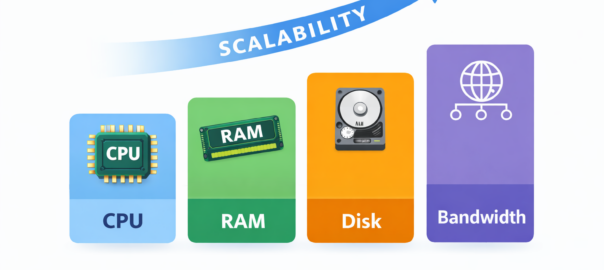
Server Resource Management: CPU, RAM, Disk & Bandwidth Explained
In today’s digital world, websites and applications must handle growing traffic, deliver fast performance, and stay stable under heavy load. To achieve this, understanding how CPU, RAM, disk, and bandwidth work together is essential for businesses, developers, and hosting providers. Additionally, proper server resource management helps optimize performance and plan for growth.
What Is Server Resource Management?
Server resource management is the practice of monitoring, allocating, and optimizing a server’s CPU, RAM, disk, and bandwidth to maintain consistent performance. In other words, it ensures that websites and applications run smoothly, even under heavy traffic. Proper management allows you to:
Handle high traffic efficiently
Maintain fast response times
Avoid crashes or downtime
Scale seamlessly as user demand grows
Additionally, resource management is important for both physical and virtual servers, helping businesses plan for growth without interruptions.
CPU: The Processing Power Behind Scalability
The CPU (Central Processing Unit) acts as the “brain” of the server, executing tasks, processing requests, and running applications. Its performance directly affects a server’s ability to handle multiple users and complex workloads.
How CPU Affects Scalability:
Determines how many simultaneous requests a server can handle
Impacts dynamic content processing, such as WordPress, eCommerce, or SaaS platforms
A bottlenecked CPU can lead to slow responses or failed requests during traffic surges
Tip: Regularly monitoring CPU usage and upgrading cores when traffic increases helps maintain smooth performance.
RAM: Temporary Memory for Fast Operations
RAM (Random Access Memory) stores temporary data for applications and processes, allowing a server to quickly access the information needed to run websites and services. In other words, it acts like the server’s short-term memory, helping it respond faster to requests.
How RAM Supports Scalability:
Handles multiple tasks at the same time, supporting concurrent users and processes
Reduces reliance on slower disk storage, improving overall performance
Keeps websites running smoothly during traffic spikes
Tip: If RAM is insufficient, websites may load slowly, servers can crash, or the system may rely on slower disk operations, limiting your ability to scale efficiently.
Disk Storage: Long-Term Data Management
Disk storage holds all server data, including website files, databases, logs, and backups. Its speed affects both data retrieval and the server’s overall responsiveness.
Why Disk Performance Matters for Scalability:
Fast disks (SSD/NVMe) improve access times for databases and files
Proper storage management prevents resource conflicts that can slow down the server
Limited disk performance can bottleneck high-traffic websites, even if CPU and RAM are sufficient
Additionally, scalable architectures often use storage optimization, caching, and distributed storage solutions to ensure smooth performance under heavy loads
Bandwidth: Data Flow and User Experience
Bandwidth determines how much data can be transferred between a server and its users over a given period. High-traffic websites or media-heavy applications need adequate bandwidth to maintain performance.
How Bandwidth Affects Scalability:
Controls how many users can access a website at the same time
Impacts speed of global content delivery, affecting user experience
Insufficient bandwidth can cause slow loading times, timeouts, or poor user satisfaction
Tip: Using Content Delivery Networks (CDNs) along with optimized bandwidth helps deliver content quickly worldwide, supporting seamless scalability.